How to Keep Your Emails Under Control and Boost Productivity
Managing your email inbox can sometimes feel overwhelming. With messages piling up throughout the day, it’s easy to lose track of important emails and feel stressed. However, keeping your emails under control is achievable with the right strategies. This guide will walk you through practical techniques to help you organize your inbox, reduce clutter, and respond efficiently.
Why Keeping Your Emails Under Control Matters
A cluttered inbox can lead to missed deadlines, overlooked messages, and increased stress. When you manage emails well, you:
– Save time by quickly finding important information
– Reduce anxiety caused by an overflowing inbox
– Improve communication by responding promptly
– Focus better on your work without constant distractions
Set Clear Email Checking Times
Constantly checking your email can interrupt your workflow and make you less productive. Instead, consider these approaches:
– Schedule specific times: Check your email two to three times a day, such as in the morning, after lunch, and before finishing work.
– Use a timer: Limit each session to 20-30 minutes to prevent getting stuck responding to every message.
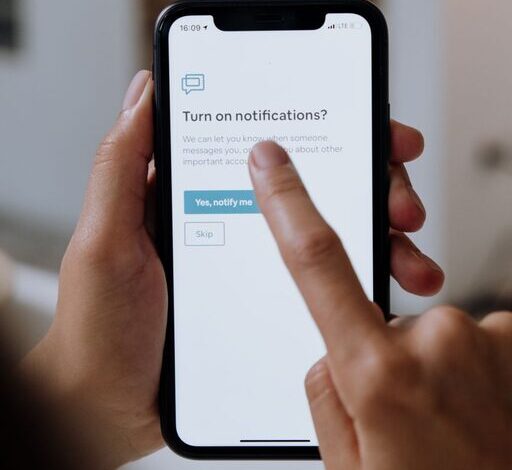
– Turn off notifications: Disable email alerts on your phone and computer to avoid frequent interruptions.
Create a Folder System for Organization
Organizing your inbox with folders or labels can help you prioritize messages and find them easily later.
– Important: For emails needing immediate attention or urgent tasks.
– To Reply: Messages you intend to respond to soon.
– Follow-Up: Emails requiring action later or waiting on a response.
– Archive: For messages you want to keep but don’t need in your active inbox.
– Newsletters & Promotions: For non-urgent emails you want to read occasionally.
Regularly moving emails into these folders keeps your inbox clean.
Use Email Filters and Rules
Most email services offer filters or rules that automatically sort incoming mail. Set up filters to:
– Move newsletters directly to a separate folder.
– Highlight emails from specific contacts or your manager.
– Mark promotional emails as read or archive them automatically.
This automation reduces manual sorting and keeps your inbox manageable.
Unsubscribe from Unnecessary Emails
Over time, you may have subscribed to newsletters and promotional emails that no longer interest you. Unsubscribe from these to reduce inbox clutter.
– Look for the “unsubscribe” link usually located at the bottom of newsletters.
– Use tools like Unroll.Me or similar services to review and unsubscribe from multiple lists easily.
– Be cautious when unsubscribing to avoid spam or phishing risks.
Practice the “Two-Minute Rule”
If an email requires a quick reply or task that takes less than two minutes, handle it immediately instead of postponing.
– This prevents small tasks from piling up.
– Helps maintain a manageable inbox throughout the day.
– Saves time compared to re-reading and re-thinking later.
Write Clear and Concise Emails
When responding to emails, keeping your messages clear and to the point makes communication efficient.
– Use bullet points or numbered lists for easier reading.
– Include a clear subject line summarizing the email content.
– State any required actions or deadlines upfront.
This reduces back-and-forth and speeds up email handling.
Archive or Delete Regularly
Keeping too many old emails in your inbox can cause it to become cluttered and slow. Set aside time weekly or monthly to:
– Delete emails you no longer need.
– Archive emails that contain important information but don’t require active attention.
– Use your email service’s search and sort features to find and organize older emails quickly.
Use Email Templates for Common Responses
If you often send similar replies, using templates can save time.
– Most email platforms allow you to create canned responses.
– Customize templates for frequent questions or requests.
– Adjust each message slightly to keep the tone personal.
Consider Using a Task Manager
Sometimes emails contain tasks that need more attention than an email reply.
– Use a task manager or to-do list app to track these actions.
– Forward or copy email details into the task manager.
– Set reminders and deadlines separately from your inbox.
This helps separate communication from task management.
Protect Your Email Privacy and Security
Keeping your email secure is part of managing it well.
– Use strong, unique passwords for your email accounts.
– Enable two-factor authentication if your provider offers it.
– Be cautious opening attachments or clicking links from unknown senders.
Regular security checks help keep your email account safe and reliable.
Summary
Managing your emails effectively requires planning and consistent habits. By scheduling email checks, organizing with folders and filters, unsubscribing from unnecessary messages, and responding efficiently, you can maintain control over your inbox. These practices not only improve productivity but also reduce stress and help you stay focused on what matters most.
Start implementing these tips today, and enjoy a simpler, more organized email experience!